ReaxKit's folder structure and domain data models
1) ReaxKit's folder structure
Figure below shows the overall folder structure of the ReaxKit codebase:
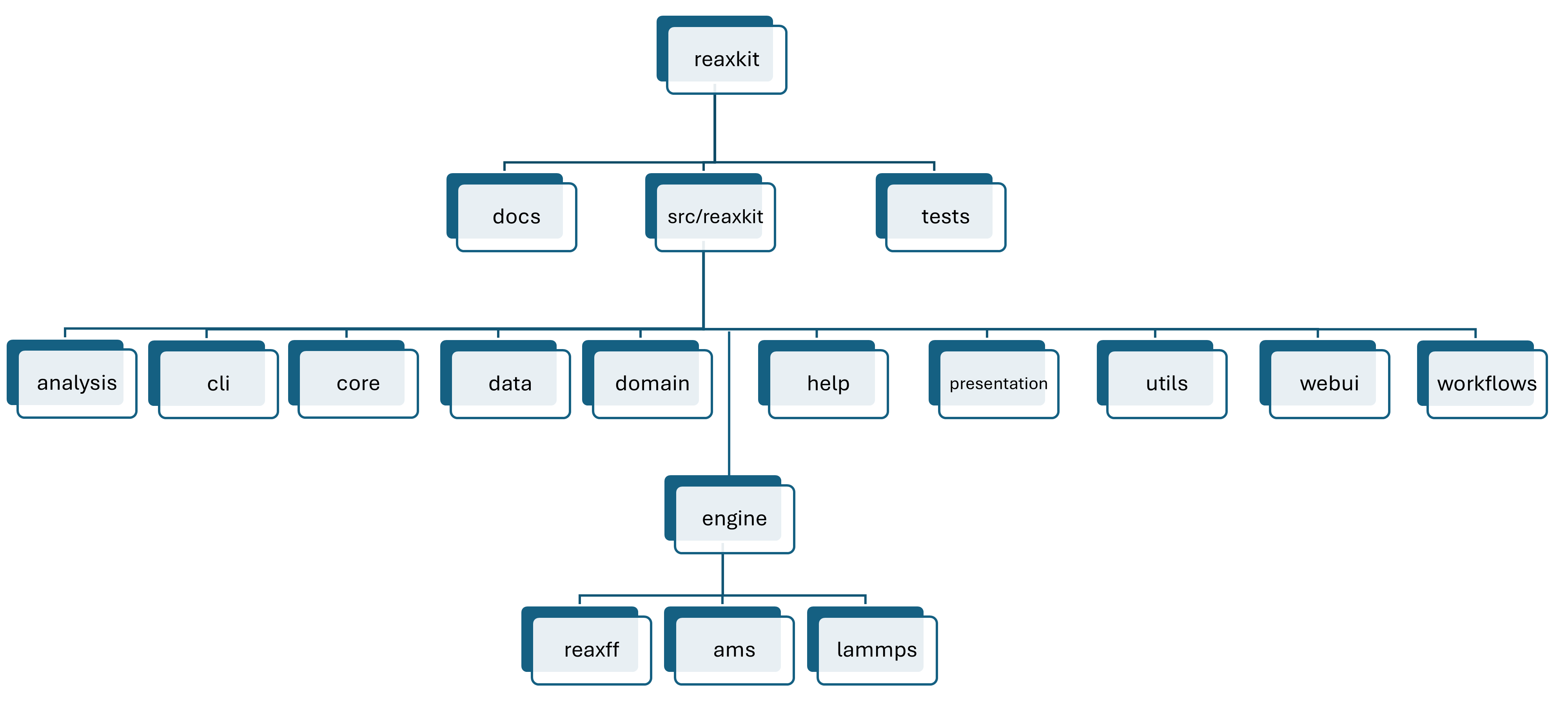
Figure: ReaxKit folder structure.
At the repository level, ReaxKit is organized into three main areas:
1. docs for user and developer documentation,
2. src/reaxkit for the installable Python package,
3. and tests for validation.
Inside src/reaxkit, the package is split by responsibility:
1. analysis contains engine-agnostic analysis tasks,
2. cli exposes command-line entry points,
3. core holds registries and shared infrastructure,
4. data stores packaged resources,
5. domain defines the central data/request/result models,
6. help supports introspection,
7. presentation handles plots and rendered outputs,
8. utils provides shared helpers,
9. webui contains the Dash interface,
10. and workflows orchestrates higher-level user actions.
The engine package is the source-specific layer and is further divided into reaxff, ams,
and lammps, which normalize engine-specific files into the shared domain models used by the rest of ReaxKit.
2) Domain data models
Figure below shows a list of the main domain data models defined in src/reaxkit/domain and used across the codebase.
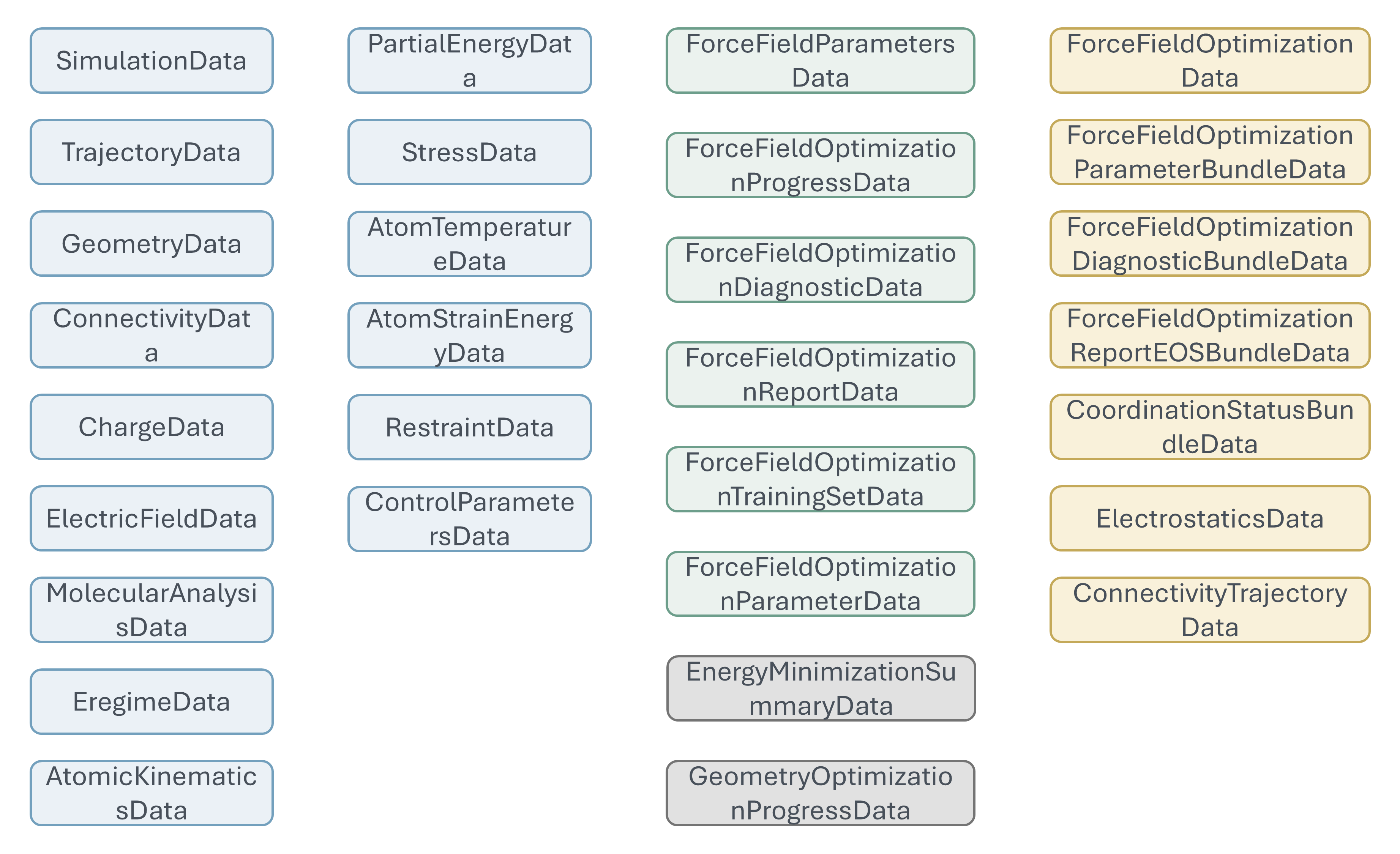
Figure: ReaxKit domain data models.
Domain data models are defined as Python dataclasses and represent the core entities that ReaxKit operates on.
For example, TrajectoryData represents a molecular dynamics trajectory, while EnergyData encapsulates energy information extracted from engine outputs.
These models are designed to be engine-agnostic, allowing ReaxKit to work with different simulation engines while maintaining a consistent internal representation of data.
They are used throughout the codebase for analysis, visualization, and workflow orchestration, enabling seamless integration between the engine-specific parsing and the higher-level functionalities provided by ReaxKit.
As a result, no matter what engine you are using, its data are mapped and normalized into these shared domain models, which are then consumed by the rest of ReaxKit's features. Getting familiar with these domain data models is key to understanding how ReaxKit processes and analyzes simulation data across different engines, and to developing new features that can work with any supported engine.
Note
When you want to develop a new analyzer in ReaxKit, just think about what type of data you want,
and not about how data is stored by a specific engine. For example, if you need the trajectory
data to compute a new type of analysis, just define a function that takes `TrajectoryData` as
input, and ReaxKit will take care of parsing the engine-specific files and mapping them to
this domain model. This way, you no longer need to consider that trajectory data is stored
in 'xmolout' files by ReaxFF Standalone, or in 'dump.xyz' files by LAMMPS, or in specific
fields field of 'ams.rkf' by AMS.